Portrait in beads – turn a photo into a bead board
A face is the hardest thing to lay in beads – and the one that impresses most when it works. The difference between a grey blob and a portrait you can recognise from across the room comes down to three choices: how tightly you crop, how many boards you use, and how much contrast you give the photo. Below you can see what each choice does, with the same photo all the way through – the patterns were made in Perleland's tool, exactly as you would get them.
The same photo all the way
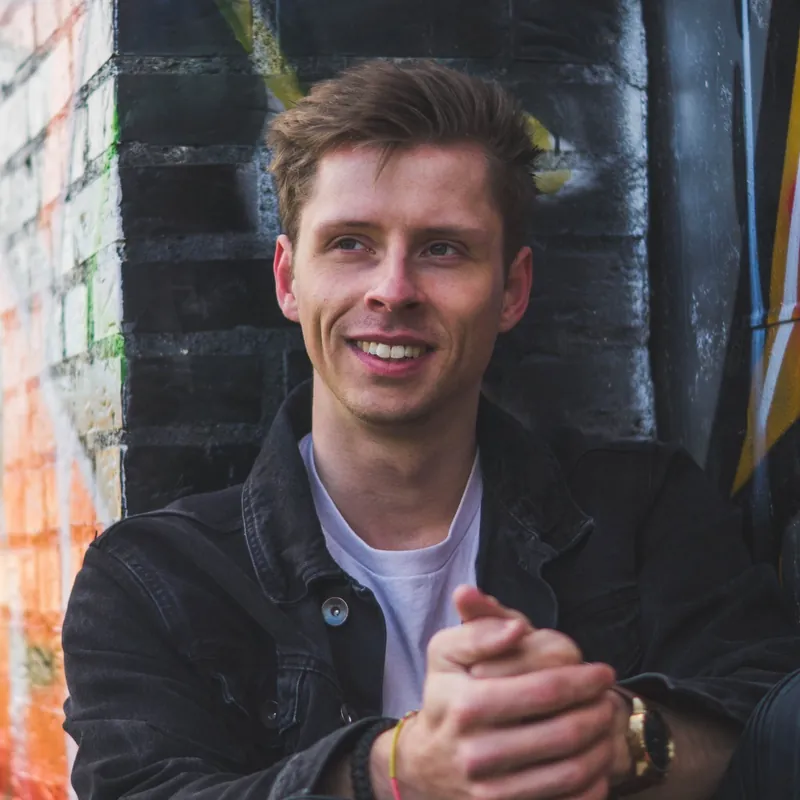
An ordinary phone photo: a face in side light, dark clothes and a busy brick wall behind – not an easy photo, in other words. The yellow frame shows the crop we use in the examples: from the top of the hair to the chin with a little air, ears in, shoulders out.
Cropping: the choice that matters most
Both patterns are laid on a single midi board of 29 × 29 beads. The only difference is the crop.
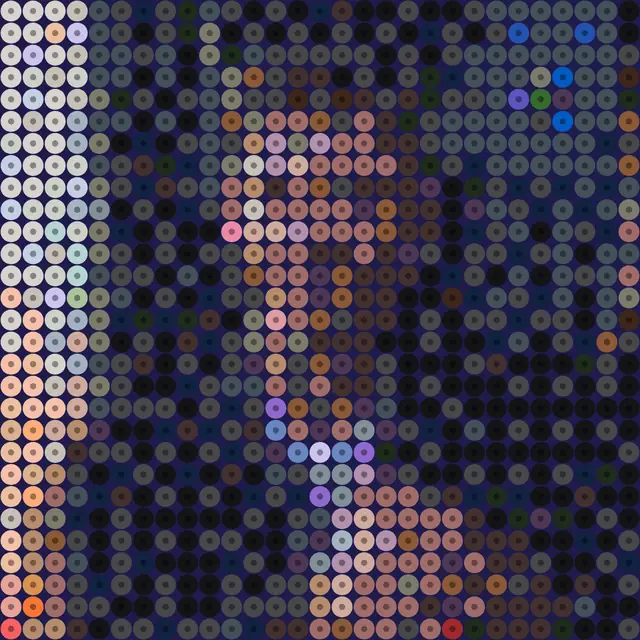
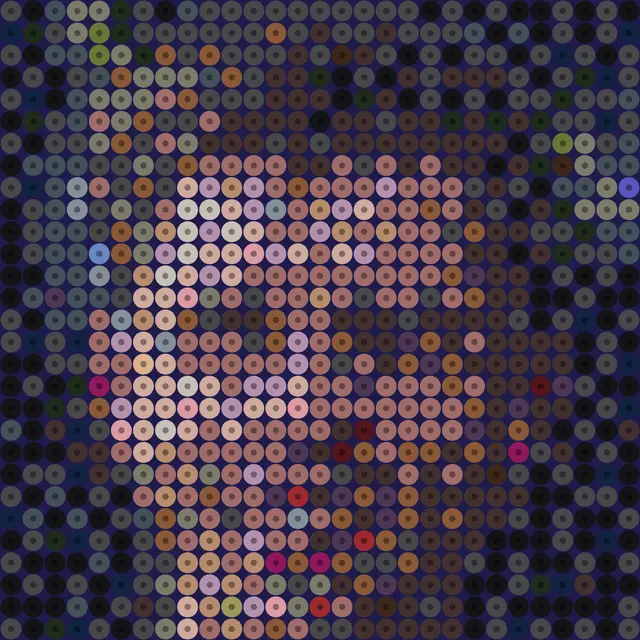
In short: Crop so the face fills at least two thirds of the height. Everything you keep of background and shoulders is taken away from the face.
Size: how many boards does it take?
The same crop in four sizes. The number of beads quadruples every time you go up a step – and so does the time.
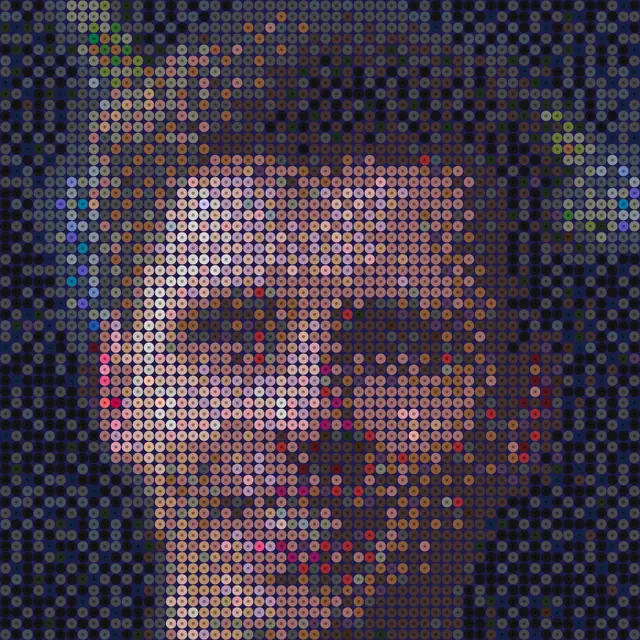
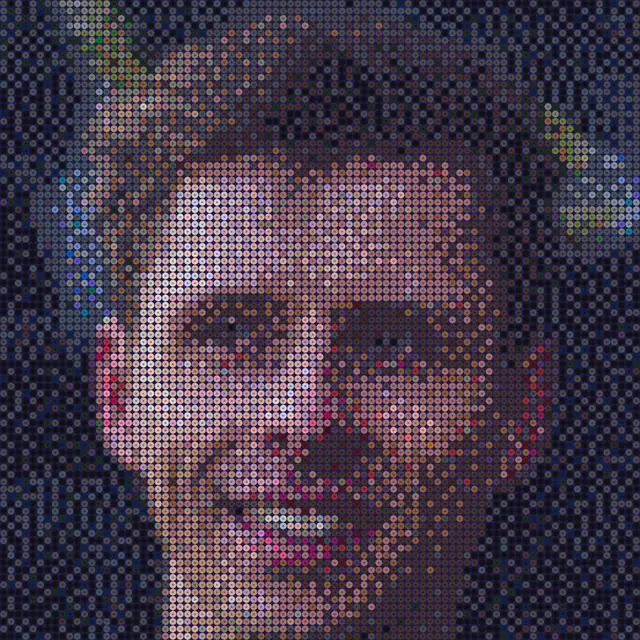
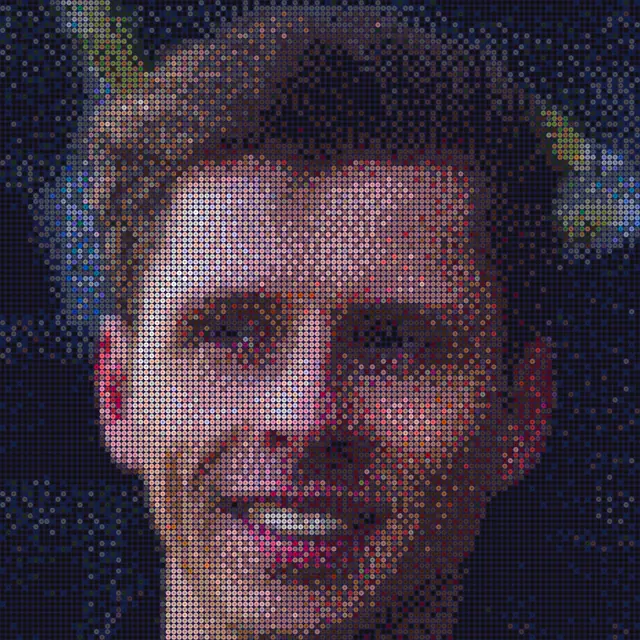
In short: Rule of thumb: each eye needs five or six beads across before a face looks like the person. That means a face about 50 beads tall – in other words 2 × 2 boards once you have cropped tightly.
Contrast and look: the final lift
All three are 3 × 3 boards with the same crop. Only contrast and look have changed.
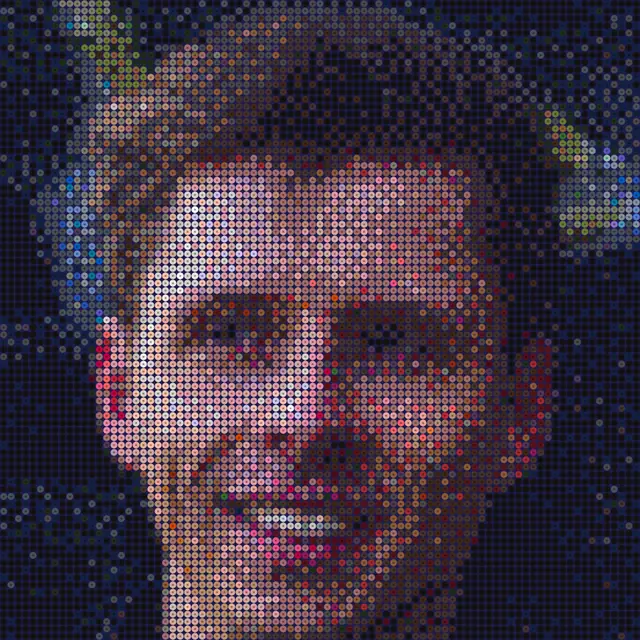
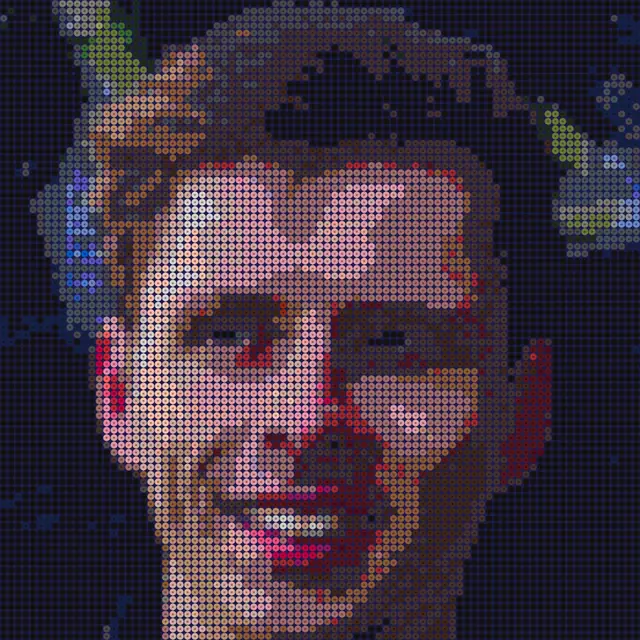
In short: Try +10 to +25 contrast for a face. Any more and the skin turns white and orange. Soft like a photo gives the closest likeness; Clean colours is easier to lay and suits photos taken in even light.
How to make a portrait in beads
- Pick the right photo Light from the front or the side, never from behind. The face should be sharp and fill a good part of the frame – a close-up taken with your phone beats a group photo from a party. A calm background helps but is not required; you crop most of it away anyway. Avoid flash and sunglasses: flash erases the shadows that give a face its shape, and sunglasses remove the eyes.
- Crop tightly Tap Crop image and pull the frame in until the top of the hair touches the top edge and the chin touches the bottom. Keep the ears, drop the shoulders. If in doubt, crop tighter – a crop that is too wide is the mistake you see most clearly on the finished pattern.
- Choose the number of boards 1 board for a tag, 2 × 2 when the family should recognise the face, 3 × 3 for a portrait on the wall and 4 × 4 if it is a gift you want to get right. Below the pattern you can see the bead count and the size in centimetres before you decide.
- Turn the contrast up a little Under Advanced you will find contrast and saturation. +10 to +25 contrast does most of the work; add 10 saturation if the skin looks grey. Keep an eye on the cheek – when it turns white, you have gone too far.
- Look at the colours Hama has nine tones that work for skin: light peach (78), matt rose (26), beige (27), tan (75), light apricot (105), apricot (79), nougat (76), light brown (21) and reddish brown (20). In the shadows the tool often picks silver (62) and bronze (63), because they are exactly as grey-brown as a shadow is. If you do not have them, switch them off under Advanced → Colours and the pattern will use brown and grey instead.
- Fix the eyes and mouth, then lay Once the pattern is on screen, tap Edit in the tool and zoom in on the eyes. One dark bead in each pupil and a light bead next to it does more for the likeness than anything else. Teeth should be two or three white beads, not a whole row. Then download the PDF: one page per board with the colour number in every bead, and lay the boards one at a time.
When it does not look like them
The same five things go wrong for almost everyone the first time. Here is what causes them and what helps.
- The face is a grey blob Too few boards or too wide a crop – usually both. Crop tighter first, then go up one size if it is still not enough.
- The skin is striped or blotchy Dithering on large, even areas. Switch to Clean colours, or raise the saturation a little so the skin tones have more to separate them. In the editor you can fill the cheek with one colour using the bucket.
- The eyes disappear They are too small in the crop. Go up a size – or draw them in the editor: a dark pupil and one light bead for the highlight, and the face comes alive again.
- The background steals the picture A colourful background gets as many colours as the face. Crop it away, or paint it a single colour in the editor. Dark blue or black makes the face step forward; white makes it flat.
- It looks like a ghost The contrast is too high, or the photo was taken with flash. Go down to +10 and try a photo in daylight. Thin glasses frames also vanish easily – trace the frame with a single dark bead in the editor.
What a bead portrait is good for
- For the grandparents A grandchild's face on 2 × 2 boards is the gift that goes up on the wall straight away. Pick a photo where the child is laughing, and crop to the face.
- Weddings and big birthdays The couple on 3 × 3 boards from a black-and-white photo – it looks more like them than you would think, because skin tones are the hardest part to get right. Write the date underneath with Name in beads.
- Pets The same rules as for people: crop to the head and give the eyes room. Fur is easier than skin, because it is allowed to be blotchy.
- The class gallery Every pupil makes their own face on one board. 841 beads fits in a double lesson, and a wall of 24 small portraits is something people remember.
Ready to try with your own photo?
Pick an image and the pattern appears on screen right away. Crop, choose boards and adjust the contrast until it looks right – then download the PDF with colour numbers.
Make a bead pattern from a picture · Put a name under the portrait · Blank bead board template to print
Frequently asked questions
How many boards do I need for a portrait?
At least 2 × 2 midi boards (58 × 58 beads) if the face should be recognisable, and 3 × 3 (87 × 87) for a portrait on the wall. One board is enough for a tag with a smile, but not for a likeness. The examples at the top of the page show all four sizes with the same photo.
Which photo works best for a bead board?
A sharp face in daylight, lit from the front or the side, without flash and without sunglasses. The face should fill a good part of the frame; you crop the rest away in the tool. Phone photos are more than good enough – it is the crop and the light that decide, not the megapixels.
Can I make the portrait in black and white?
Yes. Set saturation to −100 under Advanced to turn the photo into grey tones, and pick only white, light grey, grey, dark grey and black under Colours. Black-and-white portraits often look more like the person than colour ones, because skin tones are the hardest thing to match with beads.
What happens to my photo?
The pattern is made on your own device, in the browser – the photo is not sent to us. Only if you choose to share the pattern with the community is an image of the pattern uploaded, never the photo itself. Remember to ask before you turn other people's faces into beads and share them.
How long does it take to lay?
Count on 600–800 beads an hour once you are in the flow. One board takes about an hour, 2 × 2 boards an afternoon, 3 × 3 a weekend and 4 × 4 a long weekend. The PDF has one page per board, so you can lay one board at a time and iron them together at the end.
Which beads does the pattern fit?
The pattern is made for Hama midi by default, and you can switch to mini, maxi or other brands such as Nabbi, Perler and Artkal in the tool. The colour numbers follow the brand you choose.
Does it cost anything?
No. Making a pattern from a photo is free, even at 4 × 4 boards. The PDF with colour numbers needs a login, and that is free too.