Text to bead board: write an idea, get a bead pattern
Write what you want, and Perleland draws it and turns it into a bead pattern with color codes. How text to bead board works – and what it costs.
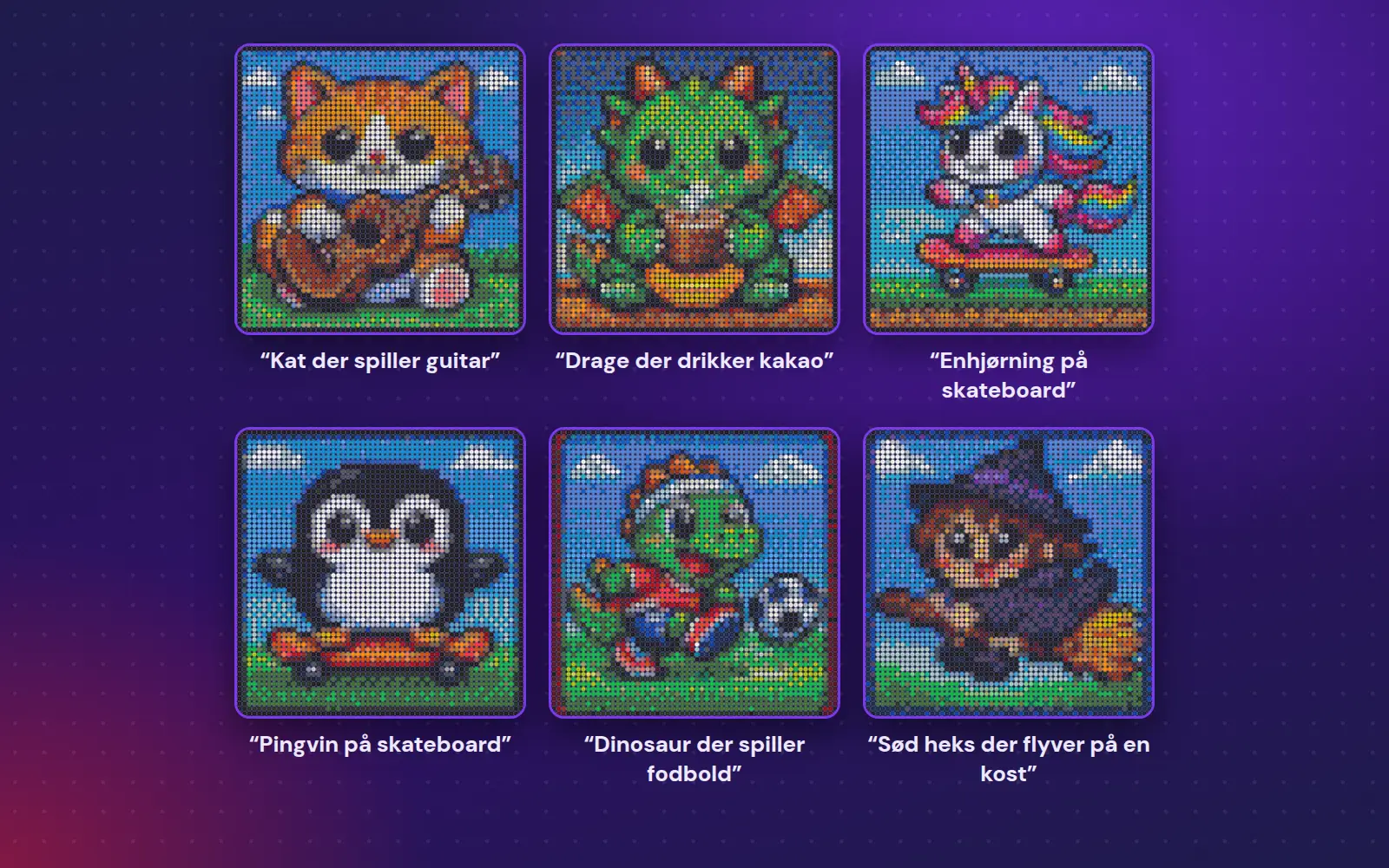
Short answer: With text to bead board, you write what you want – e.g. "a dragon drinking hot chocolate" – and tap "Draw it!". Perleland draws the idea and turns it into a bead pattern with the color code in each bead, usually in under a minute. You get 3 free drawings when you create an account, and you can earn more by sharing with the community.
When you don't have a picture of what you're dreaming of
Most bead patterns are made from a picture. But what do you do when your child wants a penguin on a skateboard – and there isn't a picture of exactly that penguin? Then you write it. Text to bead board is Perleland's tool that draws your idea and makes the bead pattern in one go.
How to do it – step by step
- Write what you want to see. E.g. "a happy cat with a big smile" or "a rocket on its way to the moon". If you're not sure, you can tap one of the idea buttons.
- Choose a background. "Just the figure" gives you the figure on a white background – that's the easiest to make. "With a background" gives you a whole scene, e.g. the cat in the grass.
- Choose a size. Small is 1 board (a cozy little moment), Medium is 4 boards (an afternoon), Large is 16 boards (a weekend), and Huge is 144 boards (only on a computer). With a free account you can choose Small, Medium and Large – Huge needs a plan.
- Tap "Draw it!". Perleland draws the idea and makes the bead pattern. You can watch the beads being placed while you wait.
- Get the pattern. You get a PDF with the color code in each bead and a color list with counts – or tap "See the pattern" and follow it board by board on the screen.
All your drawings are saved under My drawings, so you can find them again and get the pattern later.
Try it: write "a penguin on a skateboard" in text to bead boardIf the drawing didn't turn out quite the way you wanted
- Make the beads again – free. Perleland tries a different way of turning the drawing into beads. It often helps with small details like eyes.
- Make a variation – same idea, new drawing. It costs 1 drawing, and you'll be asked before it's used.
- Edit in the tool – open the pattern in the editor and fix single beads or colors, or add a name with the text stamp.
The drawings are made by a computer, and it can make mistakes. Look the pattern over before you start placing the beads.
How to write a good idea
- One figure at a time. "A fox with a bushy tail" turns out better than "a fox, an owl and a squirrel in the forest".
- Say what the figure is doing. "A frog playing the drums" gives a funnier drawing than just "a frog".
- Mention colors if they matter. "A purple unicorn with a gold horn".
- Choose Small or Medium for kids. Fewer beads mean bigger shapes and a board that actually gets finished.
Need ideas? Take a look in our pattern gallery – many of the patterns there were made with text to bead board, and with "Make your own version" you can build on them.
What can Perleland draw?
Animals, fantasy creatures, food, things, vehicles, seasons and holidays – pretty much anything a child can think of. The texts are checked before anything is drawn, so the tool is safe for kids to use. There are a few things Perleland won't draw:
- Famous characters from movies and games. They belong to a company. Instead, Perleland makes its own figure that looks similar.
- Brands and logos.
- Real people. If you want to make a portrait, use a photo in picture to bead board instead.
What does it cost?
You get 3 free drawings when you create an account. After that you can earn more, completely free:
- +1 drawing when you share a pattern with the community (once a week – whether the pattern was made with text to bead board or in the tool)
- +2 drawings when you show a photo of your finished board with "I made it!" (up to 2 a week)
- +3 drawings if you win the weekly theme
Want to make more? There are plans from 39 kr. a month with a set number of drawings every week. See them under pricing. Making patterns from your own pictures is still completely free.
Picture or text – which should I choose?
If you have a picture you'd like to see in beads – your pet, a drawing or a family photo – use picture to bead board. It's free and looks like the original. If you only have an idea in your head, text to bead board is the way to go. Lots of people use both: text for the fun fantasy figures and pictures for the portraits.
Frequently asked questions
Can kids use text to bead board?
Yes, together with an adult. The account has to be created by someone aged 15 or older, but the tool itself is made for kids: big buttons, idea buttons and texts that are checked before anything is drawn.
Why was my idea rejected?
Usually because it mentions a famous character, a brand or a real person. Describe your very own figure instead, e.g. "a little purple monster with three eyes". The check can also get it wrong, so try wording your idea a little differently.
How long does it take?
Usually under a minute from when you tap "Draw it!" until the pattern is ready.
Can I share my pattern?
Yes. Tap "Share with the community" on the result. Then others can see and download your pattern in the gallery – and you get a free drawing (one a week for sharing).
Read next
- Make your own bead pattern – from picture to PDF in 10 minutes
- Christmas bead patterns – free designs for the whole family
- Bead art with kids – what can children do at each age?